Webinar
How to automate Salesforce Enterprise Territory Management deployments
See how to deploy Salesforce Enterprise Territory data in under 5 clicks with Prodly. Plus, learn how to schedule deployment so you have more free time!
In this video
Do you want a fast, easy, and accurate way to perform Enterprise Territory Management deployments in Salesforce? In this video, we'll show you how to deploy changes to your territory models and other components with just a few clicks. Watch all the way to the end to learn how to schedule your deployment—so you never have to work late on New Year's Eve again!
Table of contents
00:13 What is Enterprise Territory Management?
00:21 Why are Enterprise Territory Management deployments so difficult?
00:49 How Prodly makes your Enterprise Territory Management deployments quick and qasy
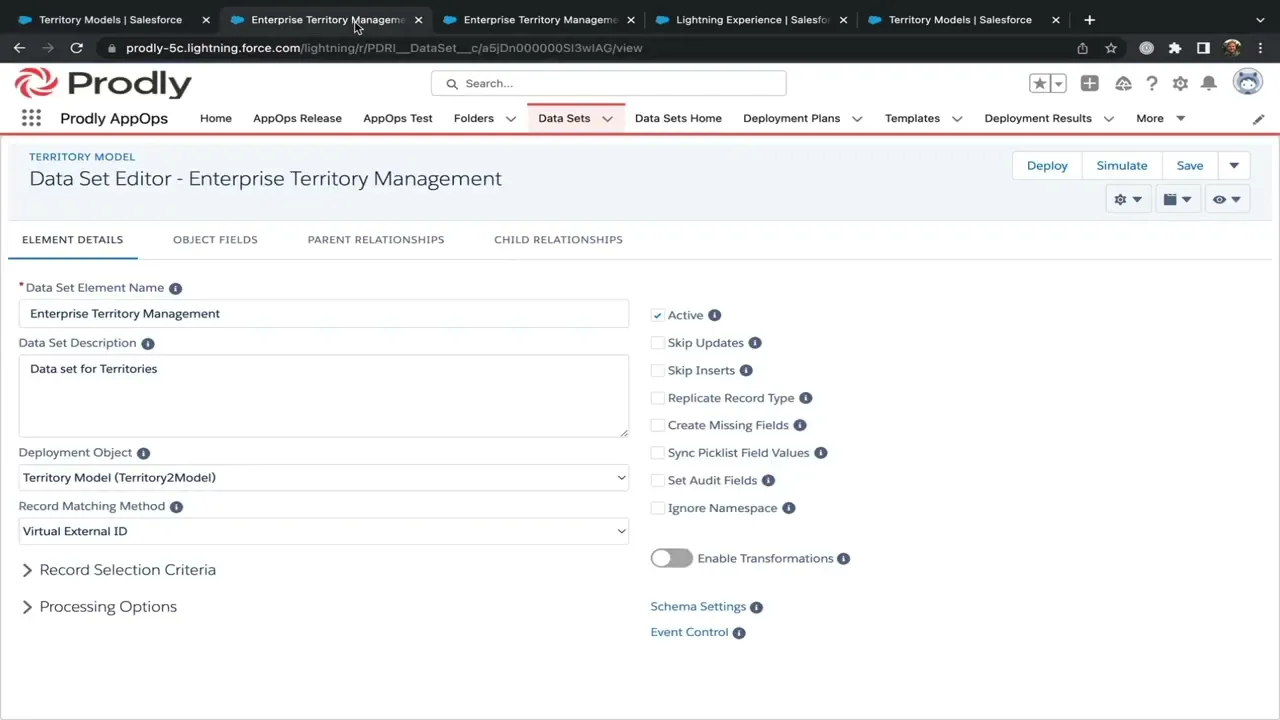
01:09 The Enterprise Territory Management data set (more on data sets: https://bit.ly/3HuUx0D)
01:48 Prodly's guided deployment tool
02:27 Temporarily deactivate events
02:48 Running the deployment
02:56 Deployment results
03:00 How to schedule an Enterprise Territory Management deployment (see https://bit.ly/3UY8yGY)
03:01 Recap
Transcript


© 2026 Prodly. All rights reserved.